The JobSentry field guide.
Everything the radar can do, in the order you will use it. Five minutes here saves you a month of doom-scrolling job boards.
Sign up, confirm, calibrate.
Create your account and confirm your email (nothing activates until you do). Then the onboarding wizard points the radar: paste your resume and JobSentry drafts your scoring profile from it. You review every field before anything counts, and you can skip straight to the dashboard and set it up later.
- Target titles: the roles you actually want next.
- Weighted keywords: your skills, weighted 1 to 10 by how hard they should pull.
- Boundaries: salary floor, remote/hybrid, commute radius in miles or whole areas, clearance, and title dealbreakers. Boundaries are hard rules, not suggestions.
Your resumes are your search tracks.
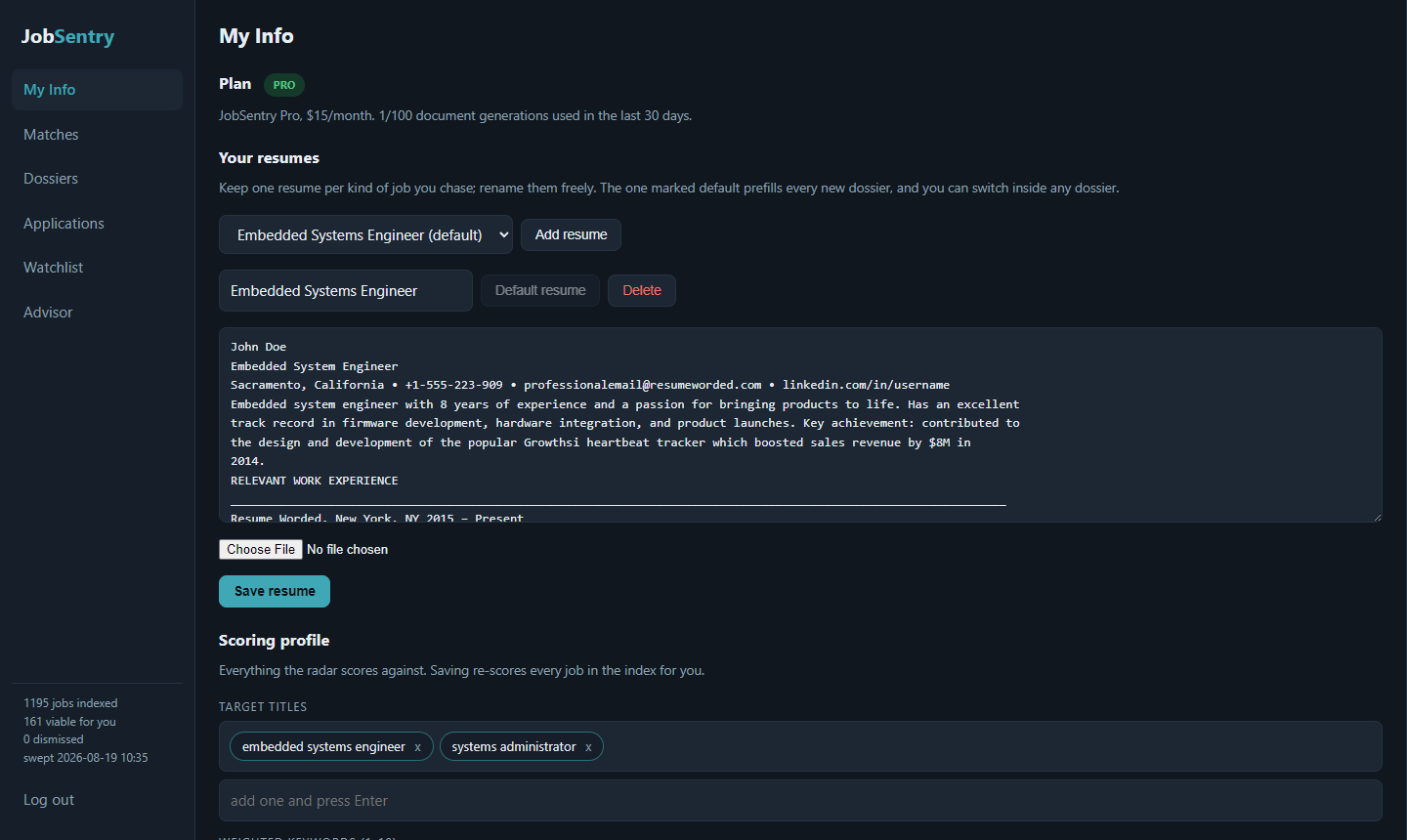
Each resume is a complete search track. Its text powers your dossiers, and it carries its own scoring profile and its own watchlist. Keep one per kind of job you chase (for example "Systems Engineering" next to "Economics"): each track hunts in parallel and gets its own Matches, without one diluting the other. Rename them freely, upload PDF or Word files, and mark one as the default; a track picker appears in Matches and Advisor once you have more than one.
The search profile is what the radar measures every posting against for that track. Change anything and press Save and re-score: the whole index is re-ranked for that track on the spot.
The watchlist lives here too: add up to 25 target employers (paste their careers page URL) and up to 10 board searches for LinkedIn and Indeed per track. The radar sweeps them daily, marks vanished postings closed, and scores everything new while you sleep.
Viable jobs, ranked, with the math showing.
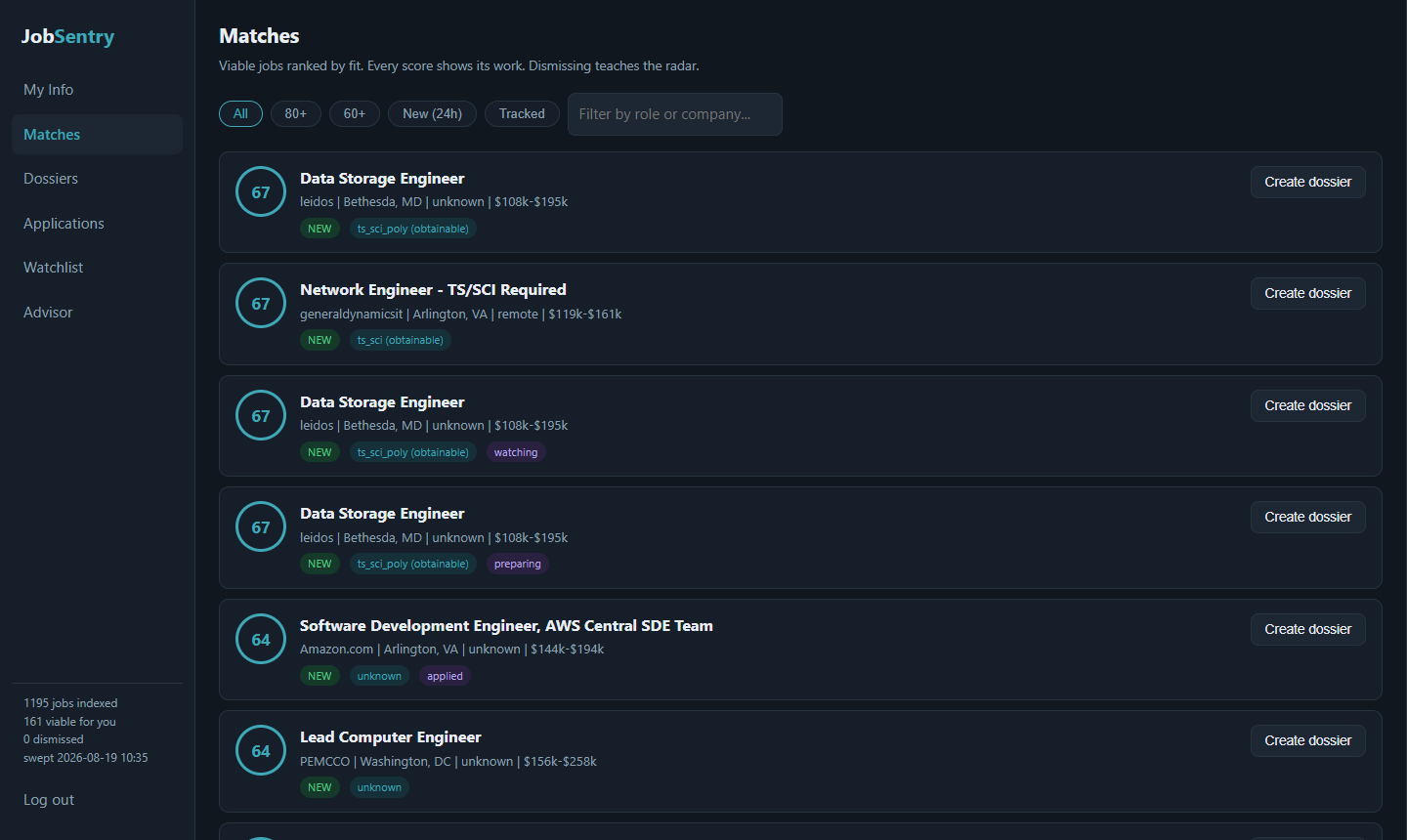
Every posting that survives your boundaries gets a 0 to 100 score. Filter by 80+, 60+, new in the last 24 hours, or jobs you are tracking. Click any card to see exactly where the points came from:
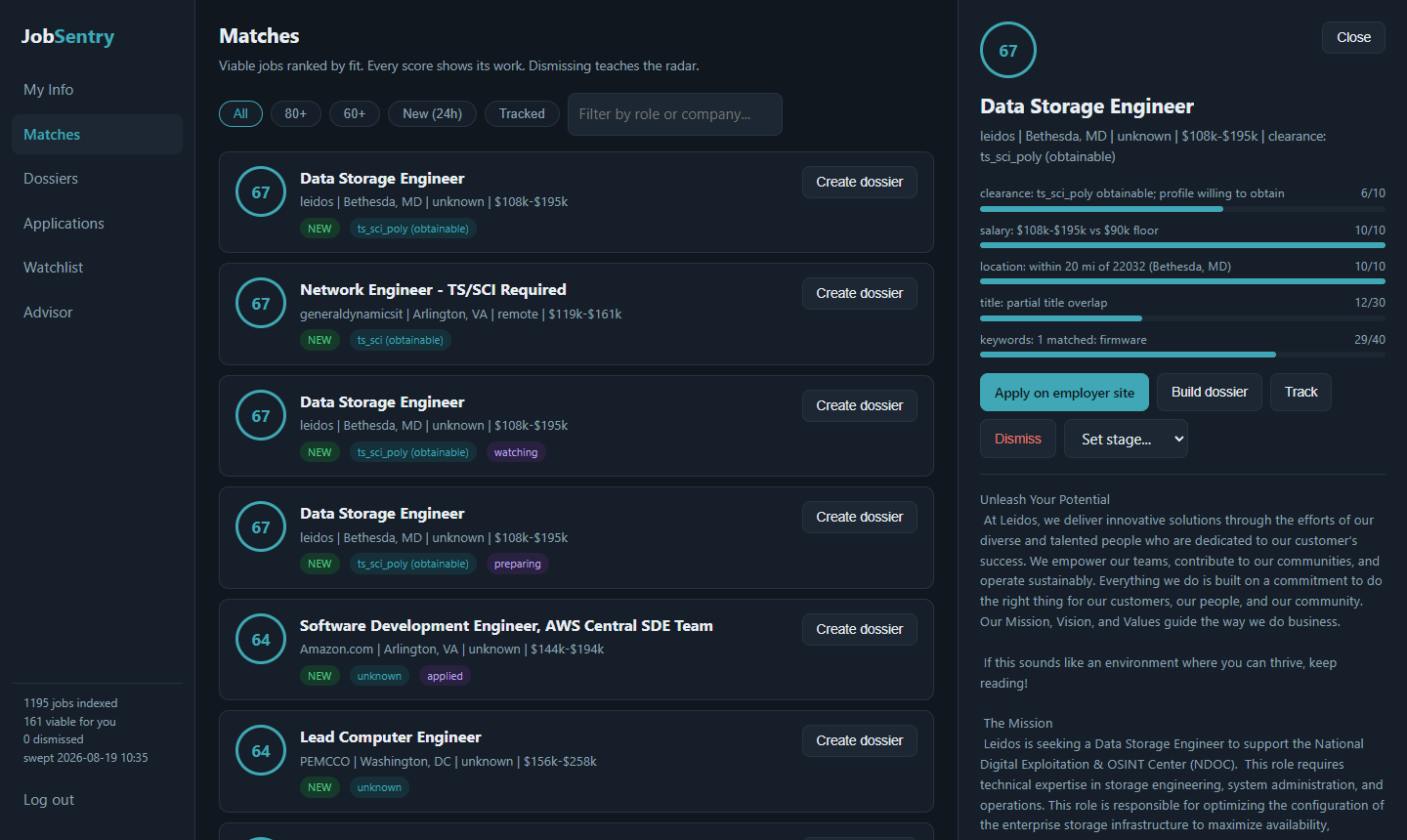
Title fit, skill signal, salary, location, clearance: each component shows its points and its reasoning. Dismiss jobs that miss and tell the radar why; it learns your taste. Track the ones you are pursuing, or press Build dossier to start applying.
One dossier per job you chase.
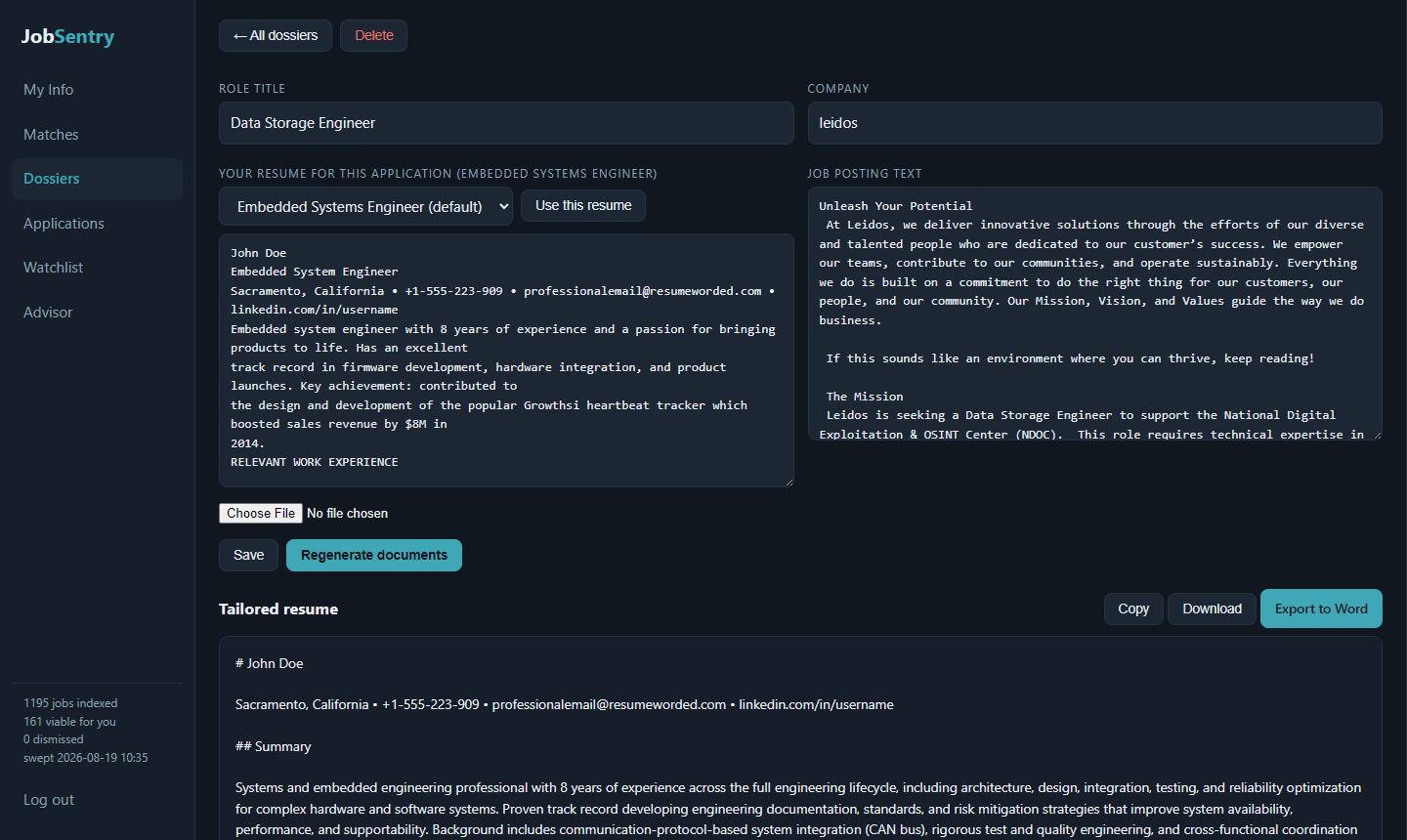
A dossier holds everything for one application: the job posting, the resume you chose for it, and the documents JobSentry writes. Create one from any match (the posting comes along automatically) or from scratch. Pick which of your saved resumes to start from, paste, or upload a file.
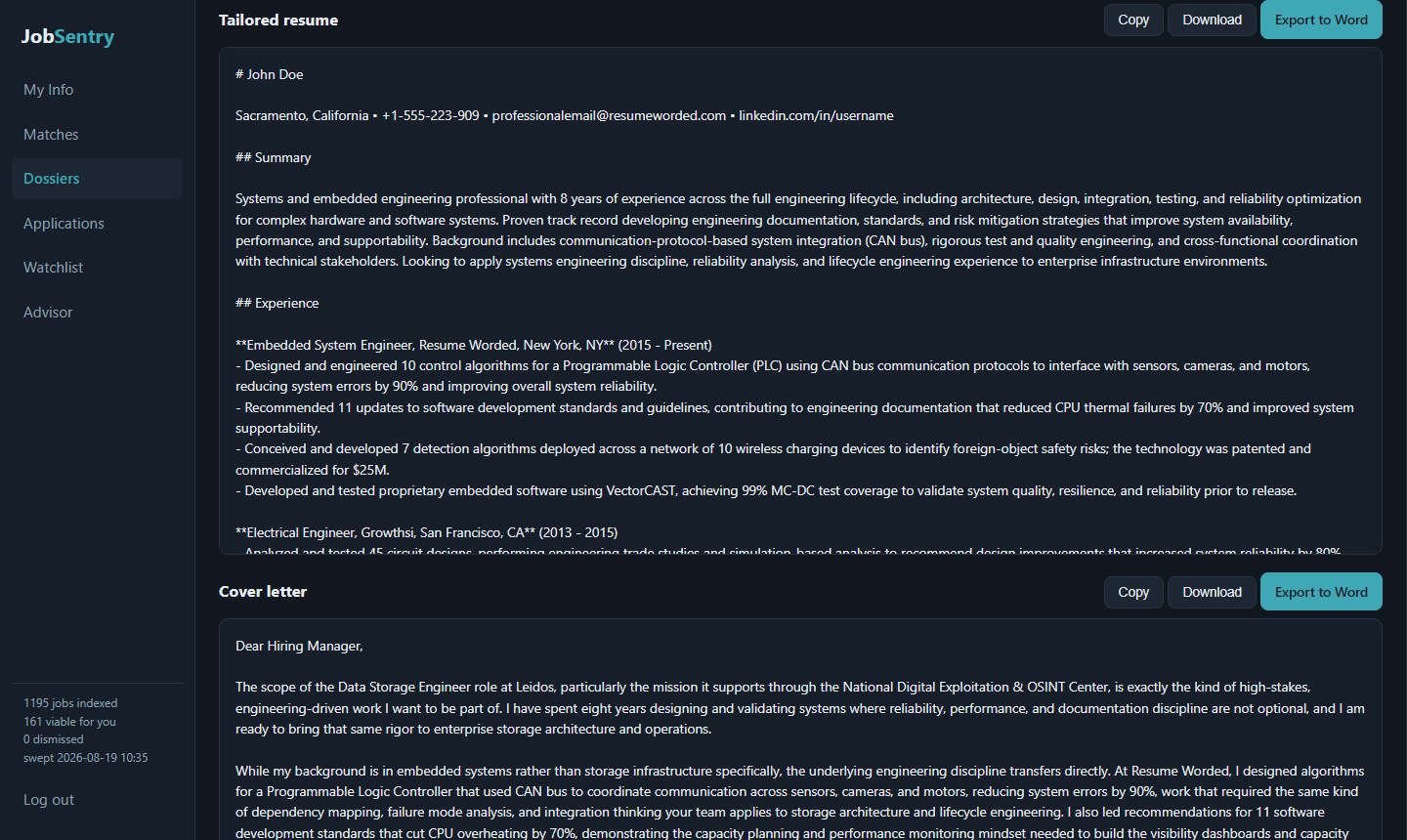
Press Generate and about a minute later you get a tailored resume and cover letter, written strictly from your real experience. Copy them, download Markdown, or Export to Word for a polished, ATS-safe .docx.
Your pipeline, by stage.
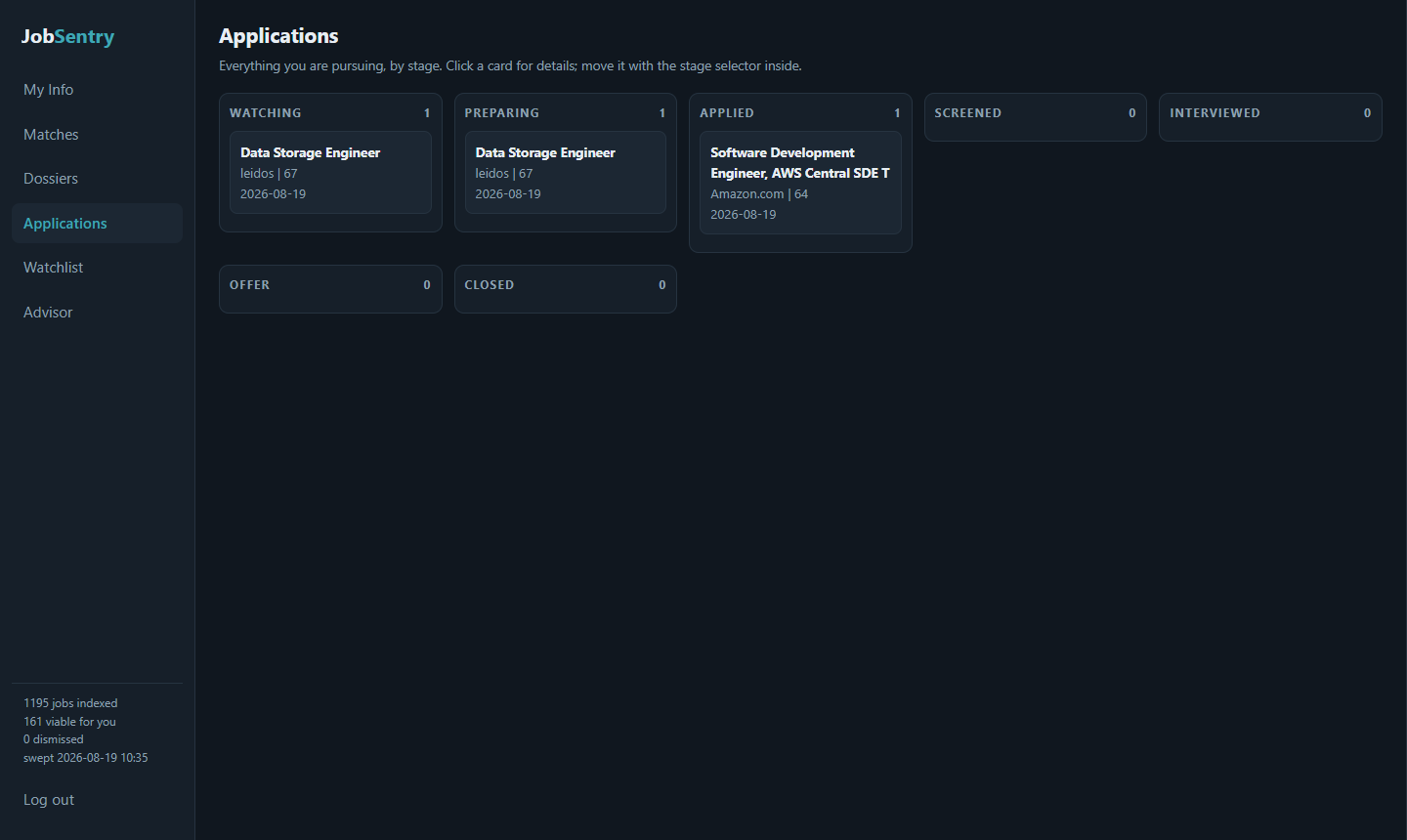
Everything you are pursuing across all your tracks, from watching to offer, each card badged with the track it came from. Move a job between stages from its detail panel; the board keeps the whole hunt visible at a glance.
It tells you when your profile is the problem.
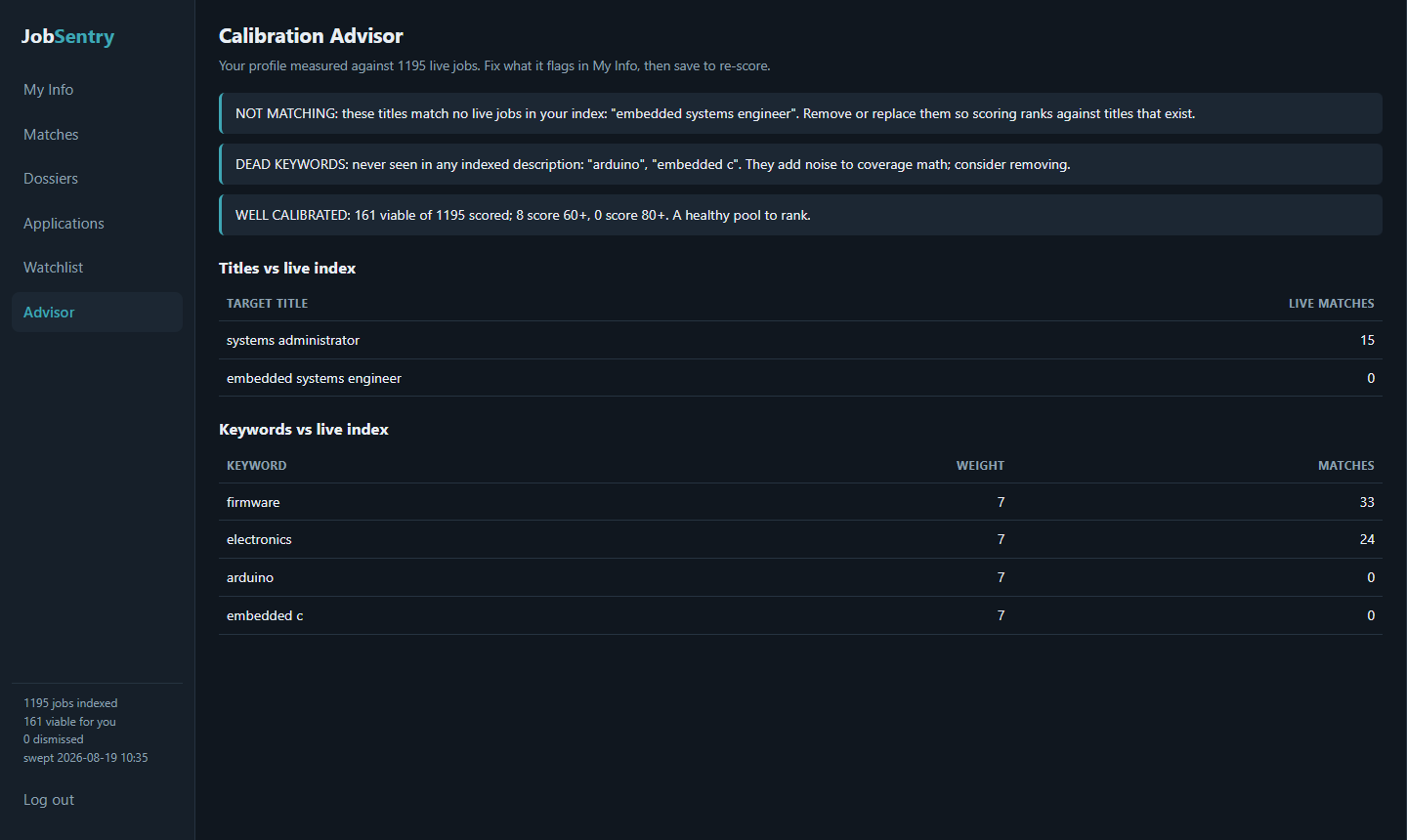
The advisor measures a track's profile against the live index: titles nobody posts, keywords with zero matches, a salary floor filtering out the whole market. Fix what it flags in My Info and re-score. A healthy pool means the radar is calibrated.
Try the radar free for a week. Pro removes the limits.
Scout (free): two radar searches a day for your first 7 days, one saved resume, and one complete dossier so you can judge the writing on a real application. When the week ends, everything you saved stays; searching continues on Pro.
Pro ($15/month, cancel anytime): unlimited searches and re-scoring, unlimited dossiers, five saved resumes, and document regeneration as postings evolve.
Upgrade from any paywall prompt or from My Info. Questions or trouble? Write to jobsentry@infoplay.com.